How to Recover a Hacked Instagram Account (Step-by-Step)
Instagram account hacked? Follow this step-by-step guide to recover access, verify your identity, and secure your profile against future breaches.
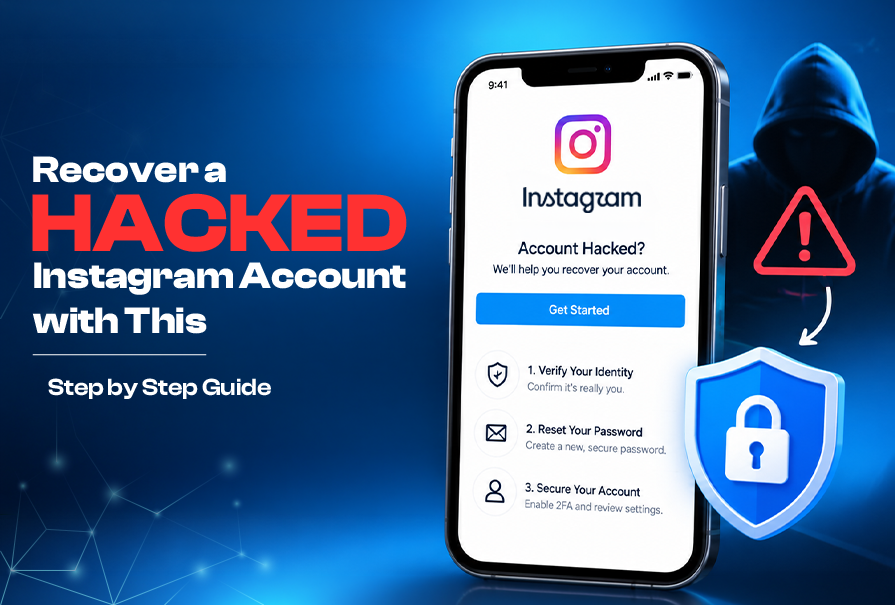
Recover a Hacked Instagram Account with This Step by Step Guide
Waking up to find your digital life locked away is an incredibly stressful experience. You might feel a sudden wave of panic when your login credentials no longer work. Please know that you are not alone in this frustration.
Losing access to your profile feels like losing a piece of your personal history. Whether you use the platform for business or to stay connected with friends, regaining control is your top priority. We are here to help you regain your digital presence with ease.
Our team has designed this simple path to help you recover a hacked Instagram account quickly. By following these manageable steps, you can navigate the recovery process with total confidence. Let us walk through the solution together so you can get back to what matters most.
Key Takeaways
- Stay calm and act quickly to secure your digital identity.
- Check your email for official security alerts from the platform.
- Use the built-in identity verification tools provided by the app.
- Enable two-factor authentication once you regain access.
- Update your passwords across all linked services for better safety.
Identifying Signs of a Compromised Instagram Profile
Spotting the signs of a hacked account early can make recovery easier. Being alert helps you catch intruders before they harm your online image.
Recognizing Unusual Account Activity
Look out for activity you don't recognize. Check for posts, stories, or reels you didn't make. Pay close attention to direct messages too. Hackers often send spam or phishing links to your friends through these messages.
Security is not just about passwords; it is about constant awareness of how your digital presence behaves in real-time.
Checking for Unauthorized Login Alerts
Instagram alerts you when someone logs in from a new place. If you get a notification from a place or device you don't know, it's a big warning sign. Don't ignore these alerts, as they help in quick hacked instagram account recovery.
| Activity Type | Normal Behavior | Suspicious Sign |
|---|---|---|
| Login Location | Your usual city | Unknown country or state |
| Direct Messages | Conversations you started | Spam links sent to contacts |
| Profile Bio | Your personal details | Links to unknown websites |
Verifying Changes to Your Profile Information
Thieves might change your account settings to keep you out. Check your bio, phone number, and email to make sure they're the same. If they've been changed, start the hacked instagram account recovery process right away to get back your identity.
Immediate Actions to Take When You Suspect a Breach
When you think your instagram account breach is happening, time is of the essence. Quick action can stop hackers from getting into your messages or changing your settings. Staying calm is key as you start to fix things.
Checking Your Linked Email for Security Notifications
Start by checking the email linked to your profile. Meta often sends alerts if someone logs in from a new place. Look in your inbox and spam for messages about:
- Password reset requests you didn't ask for.
- Notifications about a new login from somewhere else.
- Alerts about changes to your main email.
Attempting to Log In with Your Current Credentials
Wonder if hackers have locked you out? Try logging in with your usual username and password. If it works, change your password right away to keep your account safe.
If you can't log in, don't worry. This is a sign of a instagram account breach. It means you need to take the next steps. Keep your phone close, as you might need to get verification codes.
Monitoring Your Connected Facebook Account
Many people link their Instagram and Facebook accounts. But this can be a weak spot for hackers. If your accounts are connected, check your Facebook security logs for anything odd. Hackers might use your Facebook to keep getting into your Instagram.
Look at your linked accounts in the settings menu. Make sure no unknown apps have access. Removing unauthorized access is critical to stop the breach from getting worse.
How to Recover a Hacked Instagram Account Using Official Tools
Losing access to your social media can be stressful. But, you can regain control of your Instagram account by following official recovery steps. Instagram's built-in security features are the safest way to handle unauthorized access. These tools help verify your identity and block intruders.
Accessing the Instagram Login Help Page
To start, go to the official login help page. On the Instagram app, tap "Get help logging in" on Android or "Forgot password?" on iOS. This page is your main way to recover a hacked Instagram account when you can't log in.
Once there, enter your username, email, or phone number linked to your profile. If the hacker changed these, look for the "Need more help?" link at the bottom. It will lead you to more advanced recovery options from Meta.
Requesting a Security Code via Email or SMS
After identifying your account, you'll get a chance to send a security code to your contact info. This is key to recover a compromised Instagram account. If you can access your email or phone, choose to get the code via SMS or email.
Enter the code right away to prove you're the account owner. If the hacker changed your contact details, you'll need to go to the identity verification stage instead.
Utilizing the Instagram Identity Verification Process
If standard recovery doesn't work, use the official identity verification process. This requires proving you own the account to the support team. You might need to send a video selfie or other documents to confirm your identity.
Make sure to follow the instructions carefully. This step is critical to regain control of your Instagram account. It helps the support team process your request quickly and correctly.
| Recovery Method | Primary Requirement | Success Rate |
|---|---|---|
| Email/SMS Code | Access to registered contact | High |
| Identity Verification | Government ID or Video Selfie | Medium |
| Support Request | Proof of account ownership | Moderate |
Handling Situations Where the Hacker Changed Your Password and Email
When your instagram account is hacked and password changed, you need to take action. It's normal to feel upset when an instagram hacker changes password details. But, staying calm is key to effectively recovering your account.
Instagram Account Recovery Guide
Navigating the Need Help Logging In Menu
Start by opening the Instagram app on your phone. On the login screen, tap "Get help logging in" or "Forgot password?" to access support.
This menu is for users who can't log in. By choosing you can't access your email or phone, you start the automated security workflow for hacked profiles.
Requesting Support from Instagram for Account Hijacking
In the support menu, you must clearly report an instagram account hack to Instagram. The platform has a special process for instagram account breach cases.
- Select "My account was hacked" when asked.
- Follow the instructions to verify your identity.
- Have a secure email ready for Meta to contact you.
Providing Proof of Ownership to Meta Support
If your instagram id hacked password and email, Meta will ask for proof you own the account. Giving accurate info is vital to get your case looked at first.
Be ready to share your original email or phone number. Clear and consistent information helps your chances of a successful recovery.
The Role of Video Selfies in Account Retrieval
If you're locked out, a simple video selfie could be the solution to regain control of your Instagram account. When SMS or email codes don't work, this visual check is your best bet.
Understanding the Video Verification Requirement
Instagram uses video selfies to make sure you're really the account owner. This step helps spot real users from bots or hackers.
By matching your face in the video to your profile photos, the system checks your identity. This is a crucial security layer to keep your account safe.
Tips for Recording a Successful Verification Video
To recover a compromised Instagram account, you need a clear, high-quality video. Here are some tips to help you:
- Find bright, natural lighting: Good lighting helps the system see your face clearly.
- Keep the camera at eye level: Hold your phone steady and look straight into the lens.
- Follow the prompts: The app will guide you to turn your head; move slowly and smoothly.
"Video verification acts as a digital fingerprint, providing a secure and reliable way to confirm identity when traditional credentials are no longer accessible." — Swastixa Digital
What to Expect After Submitting Your Identity Proof
After you send your video, the Meta support team checks it against your account history. If your Instagram ID has a hacked password and email, this is your last step to get back in.
You might wait a few hours to a few days for a response. Keep an eye on your secondary email for updates from support.
| Recovery Method | Reliability | Processing Time |
|---|---|---|
| Email/SMS Code | High | Instant |
| Facebook Linked Login | Medium | Fast |
| Video Selfie Verification | Very High | 24-48 Hours |
Securing Your Digital Footprint After Regaining Access
Now that you're back in your account, it's time to strengthen your defenses. These steps will help you secure hacked instagram account settings. This way, you can keep unauthorized users out for good. Keeping your online presence safe is all about being consistent.
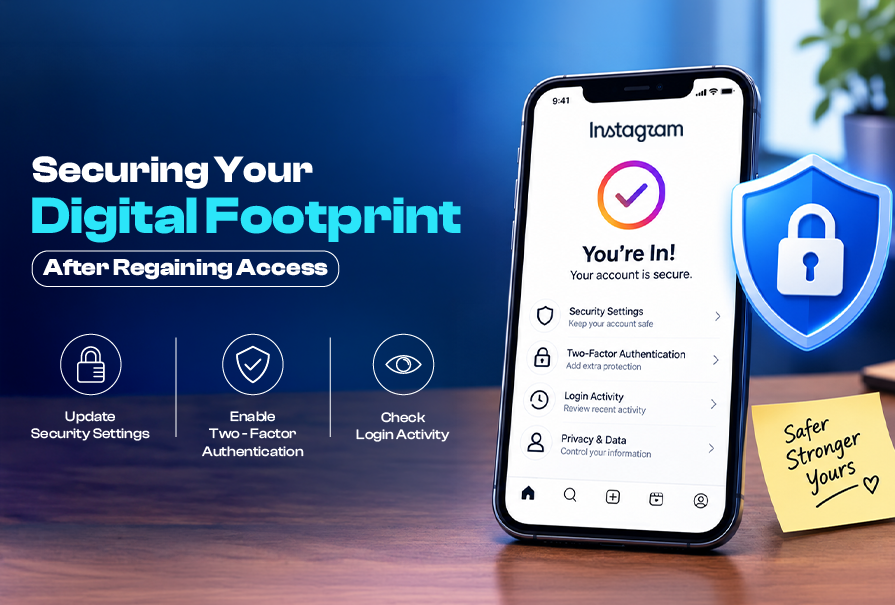
Changing Your Password to a Strong Unique String
The first thing to do is change your password right away. Make a strong password with uppercase letters, numbers, and symbols.
Don't use passwords from other websites or apps. A unique string is a strong defense against hackers.
Revoking Access for Suspicious Third-Party Apps
Hackers often use third-party apps to access your data. Go to your account settings to see all authorized apps.
If you see apps you don't know or don't use, remove them right away. This stops hackers from getting around your security.
Reviewing Your Recent Login Activity Logs
Looking at your login history helps you see who accessed your account. If you find a location or device you don't recognize, log out from there.
By keeping an eye on these logs, you stay in control of your profile. Use the table below to track your security efforts.
| Security Action | Frequency | Priority Level |
|---|---|---|
| Update Password | Every 3 Months | Critical |
| Audit Linked Apps | Monthly | High |
| Check Login Logs | Weekly | Medium |
Strengthening Your Instagram Account Security for the Future
Protecting your digital safety today can save you from a lot of trouble tomorrow. By being proactive, you can greatly enhance your instagram account security. This way, you can keep your personal data safe from unwanted access.
Enabling Two-Factor Authentication via Authenticator Apps
Using only SMS codes for login is not safe anymore. Hackers can get your text messages through SIM swapping, putting your account at risk.
Instead, use apps like Google Authenticator or Microsoft Authenticator. These apps give you time-sensitive codes right on your device. This adds a strong layer of protection to your instagram account security.
Updating Your Recovery Phone Number and Email Address
If you lose access to your profile, your recovery info is key. Make sure your phone number and email are up to date and only you have access to them.
Checking these details regularly is important for secure hacked instagram account situations. If your contact info has changed, update your settings right away. This way, you won't get locked out in an emergency.
Recognizing Phishing Attempts and Suspicious Links
Cybercriminals use fake emails or messages to steal your login info. They might send a link that looks like an official instagram hacked password change notice to trick you.
Always check the sender's email and look at links before clicking. Here are some tips to stay safe:
- Don't enter your password on sites that don't have "instagram.com" in the URL.
- Be cautious of urgent messages that ask for quick action or threaten to delete your account.
- Turn on login alerts so you know right away if someone tries to log in from a new device.
Specific Considerations for Instagram Users in India
Recovering an Instagram account in India requires knowing platform tools and local safety resources. Users often face unique challenges, like network delays or needing to involve national authorities. It's key to stay calm and follow a structured approach to get back your profile.

Dealing with Localized Cybercrime Reporting
If your account was hacked and used for illegal activities, act fast. You must report instagram account hack to the National Cyber Crime Reporting Portal. This is important to protect yourself from legal trouble.
When you report, make sure to include clear evidence, like screenshots of unauthorized messages. Documenting every detail helps authorities track the breach. Reporting the incident creates a record that aids in your recovery.
Utilizing Indian Telecom Services for OTP Recovery
Many in India face delays in getting One-Time Passwords (OTPs) due to network issues or DND settings. Check if your mobile number is on the DND list, as it can block messages. Contact your telecom provider to ensure SMS services are working.
If you can't get the code, try getting it via email instead of SMS. Reliable communication is key to a successful recovery. Make sure your email is secure and accessible. If issues continue, try using a different network or wait for less busy times.
Connecting with Local Digital Support Channels
There are local digital support channels beyond Meta's tools for international account recovery. Cyber-cells in major Indian cities can help with reporting instagram account hack cases. They can guide you on how to present your case to Meta's support team.
The table below shows the main differences between standard recovery and specialized reporting for Indian users:
| Recovery Method | Primary Goal | Best For |
|---|---|---|
| Standard Login Help | Password Reset | Simple account lockouts |
| National Cyber Portal | Legal Protection | Illegal activity on account |
| Telecom Support | OTP Delivery | Network-related delays |
| Meta Support Form | Identity Verification | Total account takeover |
Always use unique passwords and enable two-factor authentication after regaining access. Staying vigilant is the best way to prevent future unauthorized access to your digital footprint.
Common Mistakes to Avoid During the Recovery Process
When your account gets hacked, the road to getting it back is tricky. Many people, eager to fix the problem, fall into scams that promise quick fixes. To safely recover your account, stay focused on official channels and keep your data secure.
Avoiding Third-Party Recovery Scams
You might meet people or websites claiming they can fix your account fast. These scams pretend to be real hacked social media account retrieval experts. But, they're usually phishing scams trying to steal your info or money.
Remember, no third-party can magically get into Meta's systems. If someone asks for your password or money to "unlock" your account, leave right away. Trusting these scams can lead to more problems, not solutions.
Why You Should Never Pay for Account Retrieval
The official instagram hacked password change free process is free from Meta. Any service asking for money to fix your account is breaking rules and is likely a scam. Paying them won't help you faster; it will just cost you money.
Meta's support team will never ask for money to check your identity or get back into your account. Staying within official channels keeps you safe from scams. Stay vigilant and only use the app's tools.
Maintaining Patience During the Meta Review Period
After you send your identity info, you might feel impatient, even if an instagram hacker changed password and locked you out. But, sending many requests can slow down the review process. It's better to wait for the official response from support.
The review time lets Meta check your ownership and protect your data. While waiting, make sure your email and other linked services are secure. Being patient is key when dealing with a instagram account hacked and password changed situation.
| Feature | Official Meta Support | Third-Party Scams |
|---|---|---|
| Cost | Completely Free | Requires Payment |
| Security | Encrypted Verification | High Risk of Data Theft |
| Outcome | Account Restoration | Further Compromise |
| Reliability | Verified Process | Unreliable Promises |
Conclusion
Getting back control of your profile is a big win after a security breach. You now know how to handle the tough steps of recovering a hacked social media account with confidence.
Keeping your Instagram account safe is key to avoiding future problems. Always watch out for anything strange to catch issues early.
Be careful of online scams that promise to change your Instagram password for free. These scams are traps that can steal your information or money. Always use Meta's official support for help.
Your online identity is precious and worth protecting. Stay ahead by updating your security and checking your login history often. These simple actions today will make your online space safer for everyone tomorrow.
Frequently Asked Questions